What a Good MVP Scope Looks Like
A good MVP scope covers one type of user, one painful problem, and one workflow that works from start to finish. Everything else is either done by hand behind the scenes or deferred. The scope is then fitted to a fixed timebox, not the other way around.
This guide shows how to get there: how to choose the first user, how to sort features into three lists, which features founders most often overbuild, and what a realistic timeline looks like. For the budget side, see our breakdown of custom web app development cost.
Start With One User and One Problem
Michael Seibel of Y Combinator describes an MVP as "the first thing you can give to the very first set of users you wanna target, in order to see if you can deliver any value at all to them", in his talk How to plan an MVP. The key words are "first set of users". Scope starts with a person, not a feature list.
- Name the first user precisely. "Clinic owners with two to five branches" is a scope. "Healthcare businesses" is not.
- Write the problem in their words. What do they do today, and what does it cost them in time or money?
- Describe the one workflow that proves you can remove that cost, from the first screen to the result.
Paul Graham makes the same point from another angle in Do Things that Don't Scale: sometimes the right move is "to focus on a deliberately narrow market", as Facebook did when it was only for Harvard students.
Sort Every Feature Into Three Lists
Take every feature idea and put it in exactly one of these lists:
| List | What goes here | Typical examples |
|---|---|---|
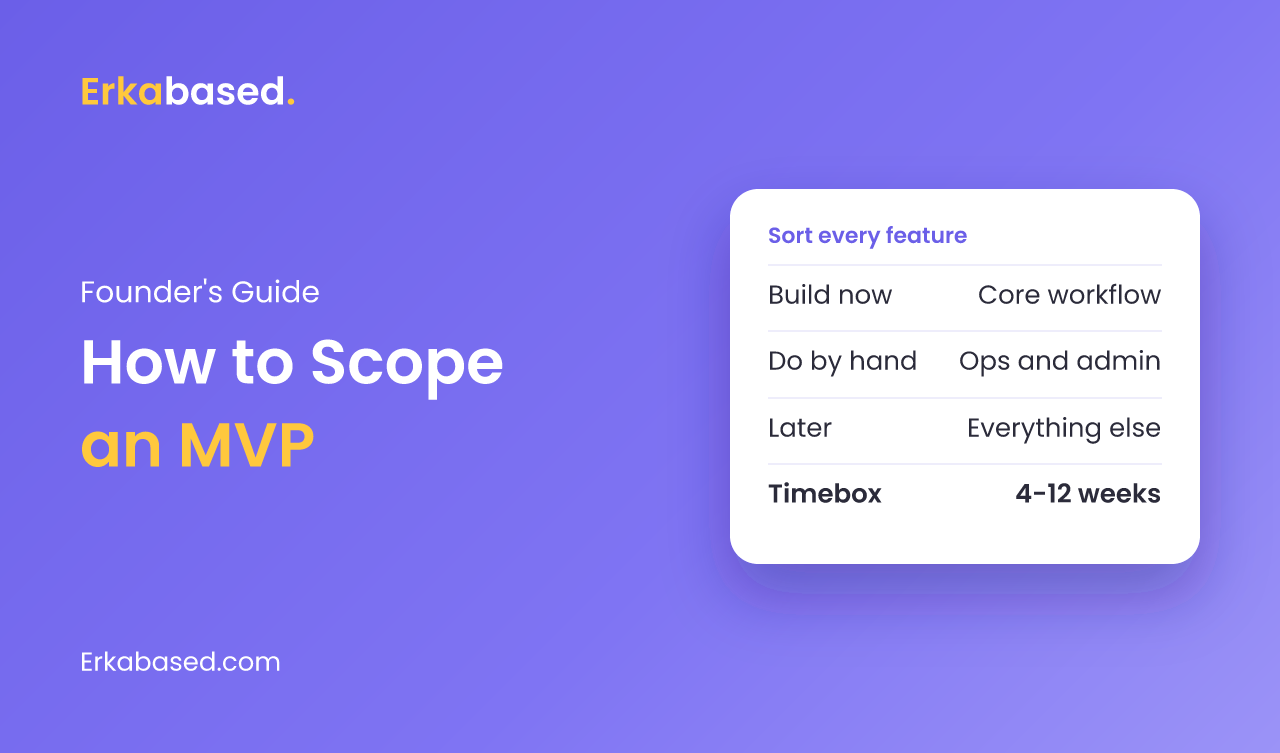
| Build now | Steps the first user must do themselves to get the result | Sign-up, the core form or flow, the output they came for |
| Do by hand | Work your team can do behind the scenes for a small number of users | Onboarding, data imports, approvals, invoicing, reports |
| Later | Anything the first user can succeed without | Roles and permissions, integrations, native apps, settings pages |
Be strict with the first list. If a step can be done by your team for ten customers without anyone noticing, it belongs in the second list. The third list is not a rejection; it is a backlog you will reorder once real users show you what matters.
Do Manually What You Will Automate Later
The second list is the most useful and the least used. Paul Graham describes it directly:
"When you only have a small number of users, you can sometimes get away with doing by hand things that you plan to automate later. This lets you launch faster, and when you do finally automate yourself out of the loop, you'll know exactly what to build because you'll have muscle memory from doing it yourself." Paul Graham, Do Things that Don't Scale
In practice this means an admin who imports data from a spreadsheet, a founder who sends invoices from their accounting tool, or a weekly report assembled by hand. Each of these can be automated in week ten, once you know it is worth it.
Features Founders Often Overbuild
| Feature | Why it is tempting | What to do in the MVP |
|---|---|---|
| Custom admin panel | Feels necessary to run the product | Use a database tool or a few internal pages |
| Roles and permissions | Future enterprise customers will need them | One role, or two at most |
| Native mobile apps | Users are on their phones | A responsive web app works on every phone |
| In-app payments | Looks professional | Payment links or manual invoices |
| Analytics dashboards | Investors like charts | An analytics tool and a weekly export |
| Multiple languages | The market is broad | Launch in the language of your first user |
How Long an MVP Takes
Seibel's advice is that most people "should be building a very lean MVP", one you can build "fast, in weeks, not months". He recommends timeboxing the spec: decide the launch date first, then keep only what fits.
For a web-based MVP built by a small professional team, we typically plan 4-12 weeks. The range depends mostly on how long the build list is and how many outside systems the MVP connects to.
| Phase | What happens | Share of the timeline |
|---|---|---|
| Discovery | Confirm the first user, the workflow, and the three lists | About 1 week |
| Design | Screens for the core workflow only | 1 to 2 weeks |
| Build | The build-now list, with a working demo every week | Most of the timeline |
| Test and launch | Fix issues, set up hosting and monitoring, onboard first users | About 1 week |
Signs the Scope Is Too Big
- The build list has more than one main workflow.
- You cannot describe the first user in one sentence.
- The spec keeps changing but nobody has written it down. Seibel warns that this is how "your three week plan turns into a three month plan".
- Integrations with outside systems make up more than half of the work.
A One-Page MVP Spec
Before any design work starts, write one page with these sections:
- First user: who they are, in one sentence.
- Problem: what it costs them today.
- Core workflow: the steps from first screen to result.
- Build now, do by hand, later: the three lists.
- Launch date: the timebox, and the rule that anything that does not fit moves to "later".
- Success signal: what the first users must do for you to call the MVP a success.
This page becomes the contract between founders and developers. It also makes the MVP-versus-MLP debate concrete, which we discuss in MLP and MVP approaches.
Conclusion
Scoping an MVP is mostly about subtraction. Choose one user, one problem, and one workflow; do by hand whatever you can; and fit the rest into a fixed timebox. The MVP will be simpler than your vision, and that is the point: it exists to teach you what to build next. When you are ready for the next stage, our guide to launching a SaaS covers what comes after.
Read next: how to choose a software development company to find the right team for your MVP.
Sources
- How to plan an MVP (Michael Seibel, YC Startup Library) — Y Combinator, checked 19 September 2026
- Do Things that Don't Scale — Paul Graham, July 2013
Frequently Asked Questions
How do you scope an MVP?
Scope an MVP around one type of user, one problem, and one workflow that works from start to finish. Sort every feature into three lists: build now, do by hand behind the scenes, and later. Then fit the build list into a fixed timebox and move anything that does not fit to later.
How long does it take to build an MVP?
Y Combinator's Michael Seibel advises building a very lean MVP fast, in weeks rather than months. For a web-based MVP built by a small professional team, 4-12 weeks is a typical range, depending mainly on the number of workflows and integrations.
What features should an MVP include?
An MVP should include only the steps the first users must do themselves to get the result they came for. Work that your team can do by hand for a small number of users, such as onboarding, imports, and invoicing, can stay manual at first.
What features should be left out of an MVP?
Features that are commonly overbuilt include a custom admin panel, detailed roles and permissions, native mobile apps, in-app payments, analytics dashboards, and multiple languages. Each has a cheaper alternative for a first release, such as a responsive web app instead of native apps.
Why do MVP projects take longer than planned?
The most common reason is an unwritten spec that keeps changing. Michael Seibel of Y Combinator notes that without a written spec, a three week plan can turn into a three month plan. Writing the scope down and cutting features when the timebox is at risk keeps the project on schedule.
At Erkabased, we build MVPs for founders launching SaaS platforms, marketplaces, customer portals, and internal tools, typically in 4-12 weeks with a working demo every week. We start by helping you cut the scope, then hand over the source code and server access at the end. See our services, look at Koogita, an AI journaling app we built, or contact us to discuss your idea.