Seven Signs You Have Outgrown Spreadsheets
Spreadsheets are the right tool for a young business. They become the wrong tool when the business depends on several people editing the same numbers, in several files, every day. If three or more of these signs sound familiar, it is time to plan a move to an ERP:
- Stock numbers disagree between the warehouse sheet, the sales sheet, and what is on the shelf.
- Month-end takes days because someone has to copy and reconcile figures from several files.
- One person "owns" the master file, and work stops when they are away.
- Orders arrive in chat apps and are typed into a sheet by hand.
- Nobody trusts the totals without checking the formulas first.
- Files are slow to open or have been split into "2025", "2025 new", and "2025 final".
- You cannot answer simple questions quickly, such as margin per product or which customers owe money.
This article explains the hard limits of spreadsheet tools, why errors are the bigger cost, what an ERP replaces, and how to migrate in a sensible order.
The Hard Limits of Excel and Sheets
| Tool | Published limit | Source |
|---|---|---|
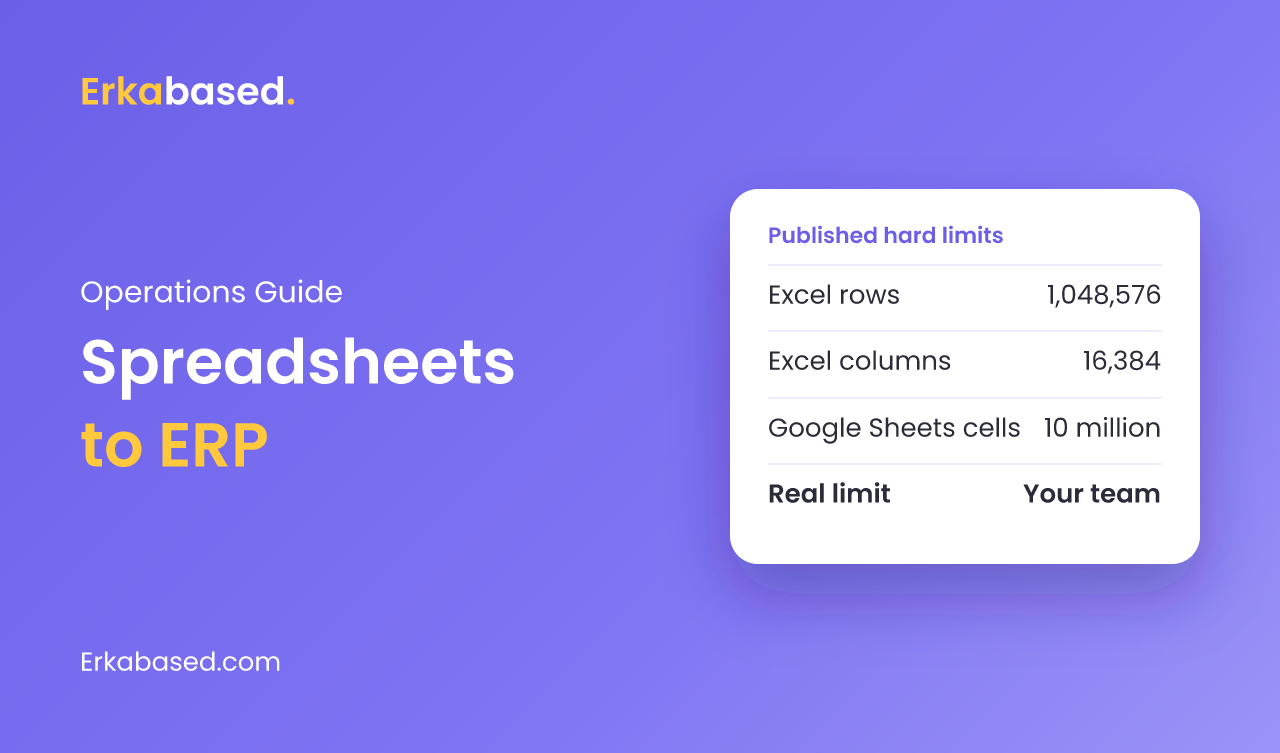
| Microsoft Excel | 1,048,576 rows by 16,384 columns per worksheet | [Microsoft Support](https://support.microsoft.com/en-us/office/excel-specifications-and-limits-1672b34d-7043-467e-8e27-269d656771c3) |
| Google Sheets | Up to 10 million cells or 18,278 columns per spreadsheet | [Google Drive Help](https://support.google.com/drive/answer/37603?hl=en) |
Most businesses never reach these numbers. Files become slow, fragile, and hard to share long before that. The limits matter more as a warning about how spreadsheets fail: silently.
In October 2020, the BBC reported that nearly 16,000 coronavirus cases went unreported in England because Public Health England used the old XLS format, which handles only about 65,000 rows. When a file was full, further cases "were simply left off". No error message, no warning, just missing data.
Errors Are the Real Cost
The row limit is a rare problem. Formula errors are a daily one. Raymond Panko, who reviewed research on the topic, summarized it plainly in a paper for the European Spreadsheet Risks Interest Group:
"Fifteen years of research studies have concluded unanimously that spreadsheet errors are both common and non-trivial." Raymond R. Panko
The same paper notes that only one technique had been shown to work reliably: checking every cell by hand. That is not realistic for a business sheet updated by five people every day. An ERP removes most of these errors by design, because each number is entered once and calculated by the system, not by copied formulas.
What an ERP Replaces
| Today in spreadsheets | In an ERP |
|---|---|
| Stock sheet updated at the end of the day | Stock that changes automatically with every sale, purchase, and production run |
| Order list typed from chat messages | Orders entered once, with status, invoice, and payment linked |
| Purchase log and supplier contacts in separate files | Purchasing with suppliers, prices, and cost history |
| Month-end copy and paste into a profit sheet | Dashboards with revenue, cost of goods, and margin per product |
| Access by sharing the file | Roles, so each person sees and edits only what they need |
| Version history by file name | An audit trail of who changed what and when |
If you want the concepts behind this, our articles on inventory and purchasing systems and order management systems go deeper into each module.
What to Move First
Do not migrate everything at once. Start where errors cost the most money, usually where stock and sales meet.
- Stock and products: one list of products, units, and stock per location.
- Sales and orders: every order entered once, reducing stock automatically.
- Purchasing: supplier orders and received goods, which update both stock and cost.
- Finance reports: margin and profit from the data above, with no copying.
- Everything else: HR, production, and customer management once the core is trusted.
Off-the-Shelf or Custom?
A packaged ERP works well when your processes are standard. A custom ERP makes sense when your work has rules that packages model badly, such as prices that differ by sales channel or payouts from several platforms that must be matched to orders.
Our Fitora case study shows the second case: a food brand selling through an outlet and three delivery apps, whose settlement reconciliation now takes under a minute. If you also use no-code tools, the arithmetic in when to move from no-code to custom software applies to spreadsheets as well.
How to Plan the Migration
- Collect every sheet people actually use, including the private ones.
- Write down the rules hidden in formulas, such as discounts, commissions, and cost calculations.
- Clean the master data first: products, customers, and suppliers with no duplicates.
- Train the people who enter data, not only managers.
- Decide who owns each module after go-live.
The underlying shift is from files to a shared database. Our explainer on how databases work is a good primer for the team.
Conclusion
Spreadsheets fail quietly: numbers drift, formulas break, and data goes missing without an error message. When stock, orders, and finance live in several files maintained by several people, an ERP pays for itself in fewer errors and faster answers. Start with stock and sales, run both systems side by side for a month, and move the rest once the core is trusted.
Read next: custom ERP vs Odoo compares packaged and custom options, and AI in ERP shows what becomes possible once your data lives in one system.
Sources
- Excel specifications and limits — Microsoft Support, checked 19 September 2026
- Files you can store in Google Drive — Google Drive Help, checked 19 September 2026
- Excel: Why using Microsoft's tool caused Covid-19 results to be lost — BBC News, 5 October 2020
- Spreadsheet Errors: What We Know. What We Think We Can Do (Raymond R. Panko) — arXiv (Proc. EuSpRIG 2000), 2000, posted 23 February 2008
Frequently Asked Questions
When should a business move from spreadsheets to an ERP?
A business should consider an ERP when several people edit the same numbers in several files every day, stock and sales figures disagree, month-end takes days of copying, or simple questions like margin per product take hours to answer. Three or more of these signs usually justify planning a move.
What is the row limit in Excel and Google Sheets?
Microsoft lists a limit of 1,048,576 rows by 16,384 columns per Excel worksheet. Google lists a limit of 10 million cells or 18,278 columns per Google Sheets spreadsheet. Most files become slow and fragile long before they reach these limits.
Are spreadsheet errors really that common?
Yes. Researcher Raymond Panko wrote that fifteen years of studies had concluded unanimously that spreadsheet errors are both common and non-trivial, and that only cell-by-cell inspection had been shown to catch them reliably. An ERP reduces these errors because each number is entered once and calculated by the system.
What should I migrate first when replacing spreadsheets?
Start with products and stock, then sales and orders, then purchasing, because errors where stock and sales meet usually cost the most. Finance reports follow naturally from that data. HR, production, and customer management can move later.
Should I run the spreadsheet and the ERP at the same time?
Yes, for a short fixed period such as one month. Compare totals every week, and retire the spreadsheet once the figures match or the system is clearly right. Running both indefinitely creates two sources of truth.
At Erkabased, we build custom ERP systems for businesses leaving spreadsheets behind: inventory, sales, purchasing, production, finance, and dashboards in one place, with AI features such as reading invoices. We start from the sheets you already use, because they describe how your business really works. A first release typically takes 4-12 weeks. See our services or contact us to talk it through.